See it in Action
Pick the tab that matches how you added your cluster.
- Kubernetes
- Linux
To deploy the spiffe-demo-app, you’ll need Helm installed.
Deploy a demo app into the k8s cluster you’ve been using:
helm repo add spiffe-demo https://spirl.github.io/spiffe-demo-app

helm -n spiffe-demo install spiffe-demo spiffe-demo/spiffe-demo-app --create-namespace
Finally, open a tunnel to access the demo app from your browser:
kubectl -n spiffe-demo port-forward svc/spiffe-demo-service 8080:80
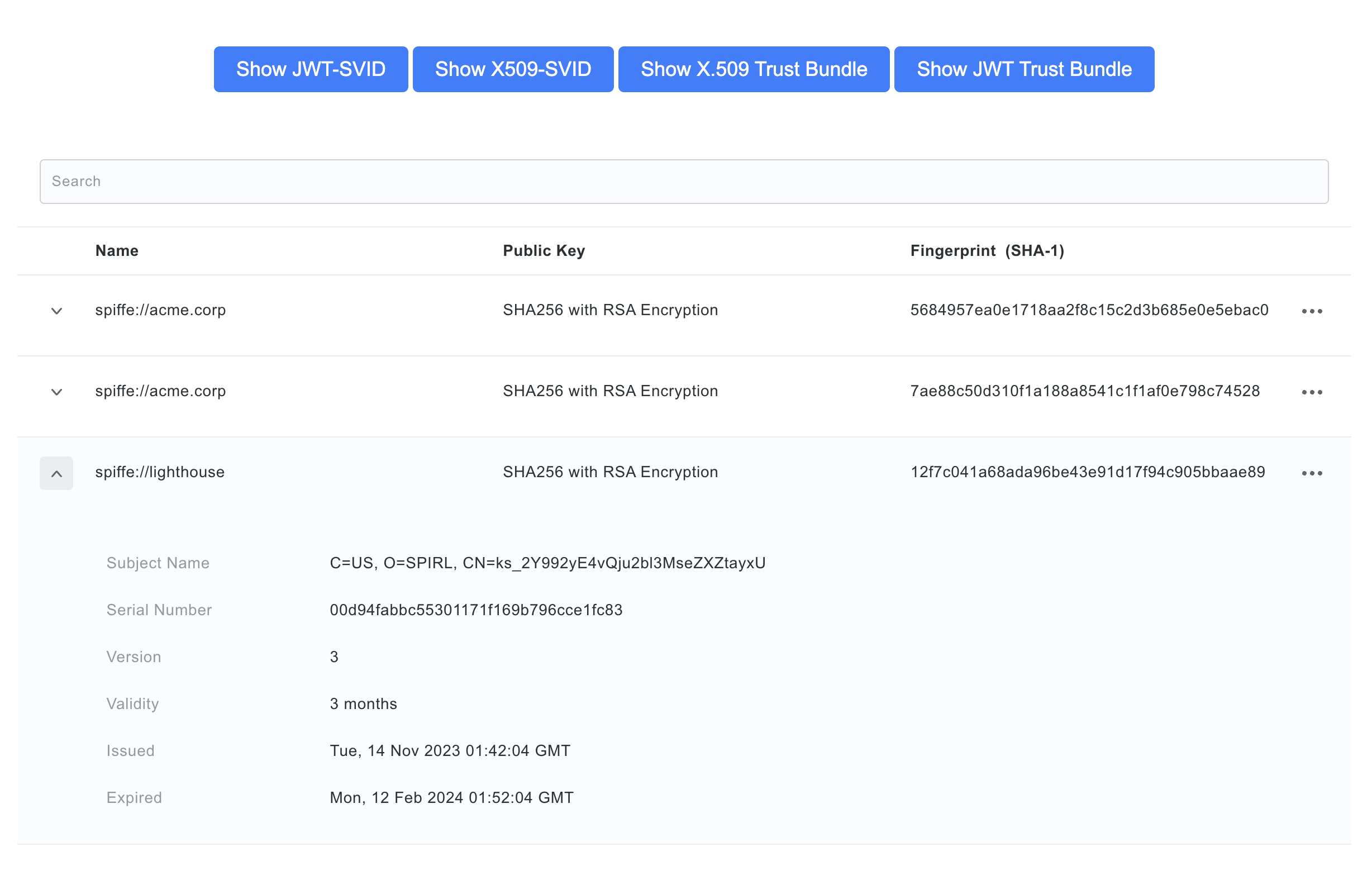
You can now access the app by visiting http://localhost:8080. Feel free to play around and view the certificates and JWT tokens being minted and served by Defakto.
Verify SVIDs from the CLI
For a CLI-based verification, deploy a one-shot pod using the spirldbg utility. The pod needs the k8s.spirl.com/spiffe-csi: enabled label so the Defakto admission controller injects the Workload API socket.
apiVersion: v1
kind: Pod
metadata:
name: svid-checker
namespace: spiffe-demo
labels:
  k8s.spirl.com/spiffe-csi: "enabled"
spec:
restartPolicy: Never
containers:
- name: svid-checker
  image: ghcr.io/spirl/spirldbg:v0.0.19
  command:
  - spirldbg
  - svid-x509
  - --spiffe-endpoint-socket=unix:///spirl-agent-socket/agent.sock
Apply it and read the output:
kubectl apply -f svid-checker.yaml
kubectl -n spiffe-demo wait --for=jsonpath='{.status.phase}'=Succeeded pod/svid-checker
kubectl -n spiffe-demo logs svid-checker
You should see output like:
Successfully received x509 SVID
SPIFFE ID: spiffe://example.com/cluster-1/ns/spiffe-demo/sa/default
Not before: 2026-01-01T00:00:00Z
Not after:  2026-01-02T00:00:00Z
Validity:   24h0m0s
...
To fetch a JWT-SVID instead, replace svid-x509 with svid-jwt and add --audience <your-audience>. Audience is optional, and omitting it mints a token scoped to example.com.
For other example workloads that request an SVID see the Defakto Examples Repo.
Continue to clean up the resources you created.
To verify SVID issuance, use the spirldbg utility.
Download the spirldbg binary for your architecture:
# Linux amd64
curl -o spirldbg.tar.gz https://spirl-releases.s3.us-west-2.amazonaws.com/spirldbg/v0.0.19/spirldbg-v0.0.19-linux-amd64.tar.gz && tar -zxvf spirldbg.tar.gz

# Linux arm64
curl -o spirldbg.tar.gz https://spirl-releases.s3.us-west-2.amazonaws.com/spirldbg/v0.0.19/spirldbg-v0.0.19-linux-arm64.tar.gz && tar -zxvf spirldbg.tar.gz
Run a quick automatic check against the agent's Workload API socket:
./spirldbg check --spiffe-endpoint-socket=unix:///var/run/spirl/sockets/agent.sock
You should see each check pass:
Checking environment...
✓ Found API socket at path "unix:///var/run/spirl/sockets/agent.sock"
✓ Successfully fetched x509 SVID
✓ Successfully fetched x509 trust bundle
✓ Successfully fetched JWT SVID
✓ Successfully fetched JWT trust bundle
For the actual identity, fetch an X.509 SVID directly:
./spirldbg svid-x509 --spiffe-endpoint-socket=unix:///var/run/spirl/sockets/agent.sock
You should see output like:
Successfully received x509 SVID
SPIFFE ID: spiffe://example.com/my-linux-cluster/root
Not before: 2026-01-01T00:00:00Z
Not after:  2026-01-02T00:00:00Z
Validity:   24h0m0s
...
The path segment after the trust domain (my-linux-cluster/root) comes from the default Linux SPIFFE ID path template, /{{node_group.name}}/{{linux.user.name}} — it will reflect the node-group name you chose and the local user running the command.
To fetch a JWT-SVID instead, replace svid-x509 with svid-jwt and add --audience <your-audience>. Audience is optional, and omitting it mints a token scoped to example.com.
For other example workloads that request an SVID see the Defakto Examples Repo.
Continue to clean up the resources you created.